Know which vehicles arrive at your site.
For lobbies, lots, storefronts and job sites with more traffic than a driveway. CarGo learns the vehicles that matter to you from your Ring cameras and tells you when they arrive or leave. It stays quiet about everyone else's vehicles.
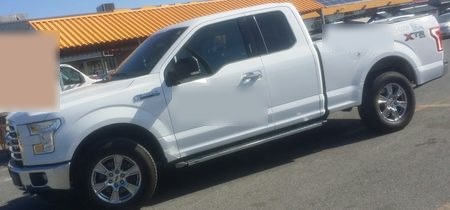
F-150 arriving Job site · 6:12 AM
What Pro looks out for
Choose the vehicles, and CarGo will tell you when they come and go.
Your fleet
CarGo learns trucks, vans and cars by their appearance from each camera's view. It does not use license plates.
Deliveries and regular visitors
Teach CarGo a supplier's van or a regular visitor's car just as you teach it your own vehicles.
Arrivals and departures by camera
Each alert identifies the vehicle, the camera that saw it and the time. It also includes a short clip to check.
For busy cameras
Pro checks up to 4,000 clips a week on each camera, including entrances and streets with heavy traffic.
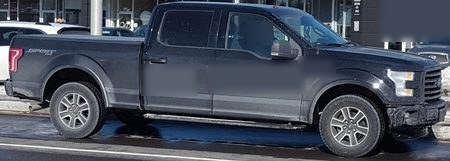
F-150 arriving Storefront · 9:03 AM
Lots, lobbies and storefronts
A camera over a lot may see many cars in each clip, most parked or passing through. Two steps help CarGo work well.
First, draw the camera's Motion Zone in the Ring app around the entrance and your own spaces, not the entire lot. Exclude through-traffic.
Second, when adding a vehicle, use a clip of it entering and parking. This helps CarGo learn the angles that camera sees. The Help page covers camera placement.
The same privacy as CarGo for homes
- No motion clip is stored. Each motion clip is downloaded, checked for vehicles, and deleted within minutes. A video you share with CarGo is deleted within 24 hours.
- License plates and faces are blurred in the stills CarGo keeps. Blurring is a best effort and may miss some details. You can delete any still.
- Only the cameras you connect. Nothing comes from Neighbors or public feeds. The companies that handle your data are listed on one page.