Know when your cars come and go.
Go about your day. CarGo is on the lookout for the vehicles you care about on the Ring cameras you choose and tells you when they arrive or leave. No more scrolling through hundreds or thousands of videos to find the one you need, and it is designed to stay quiet about everyone else's cars.
CarGo is coming to the Ring Appstore.
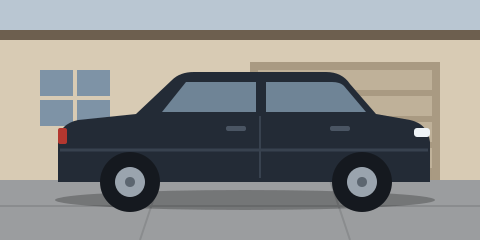 Family car arrived
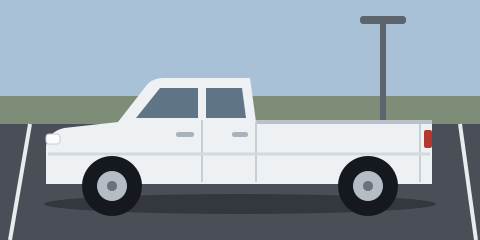 Truck 2 left
Alerts only for your vehicles
A camera facing the street sees every car that passes. CarGo learns which vehicles are yours and is designed to tell you only about them.
Your vehicles, not the whole street
You get an alert when one of your vehicles arrives or leaves. CarGo is designed to hold back alerts for neighbors' cars, delivery traffic and passing cars, but it can mistake a similar vehicle for yours.
Review what CarGo saw
Your Sightings list shows the vehicles CarGo matched, and possible matches, each with a still, the camera and the time. You can play the motion clip while Ring still has it. CarGo can miss a vehicle.
Tap Mine to teach CarGo
When one of your vehicles appears in Sightings, tap Mine. Your taps help CarGo learn how that vehicle looks on your cameras.
What people use CarGo for
Each of these starts with your own Ring cameras and your own vehicles.
Company vehicles across your sites
Know when your fleet vehicles arrive at and leave your own yards, offices and depots, using the Ring cameras at each site. CarGo recognizes trucks, vans and cars by how they look, not by their plates.
Your household's cars
Know when the family cars come home and when they leave again, from the Ring camera on your own driveway or street. CarGo is designed to stay quiet about other cars on the street.
Vehicle inventory, one lot or many
Dealers, rental companies and contractors can see when their own vehicles leave and return, in one parking lot or at their own locations across the country.
CarGo is for your household's and your business's own vehicles. Using it to follow or monitor another person is not allowed under our Terms of Use.
Four ways to teach CarGo a vehicle
Add a vehicle in the app and choose the method that works for you. You can use more than one.
Pick it from a clip
Tell CarGo roughly when your vehicle passed and which camera saw it. CarGo shows you the vehicles in the clip so you can choose yours.
Search your recent clips
From the day after you link CarGo, it can search the clips your cameras recorded since then, up to the last 7 days, and show you the vehicles it found. Ring shares only video recorded after you link CarGo, so on the first day share a clip from the Ring app instead.
Share from the Ring app
On Android, open a clip in the Ring app, tap Share and choose CarGo. CarGo shows the vehicles in the video so you can confirm yours.
Learn as you go
Skip setup and tap Mine when your vehicle appears in Sightings. CarGo learns from each tap.
Alerts on your phone
Alerts arrive as notifications on your phone. CarGo is a web app, so there is nothing to download from an app store.
On iPhone and iPad, open CarGo in Safari and use Add to Home Screen. On Android, install it from Chrome. The setup guide explains each step.
Email is optional. You can receive an email for each alert, up to 50 a day, or one daily summary.
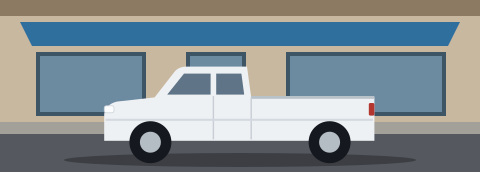
Truck 2 arrived Storefront · 9:03 AM
Designed with privacy in mind
- No motion clip is stored. CarGo downloads a copy of a motion clip, checks it for vehicles and deletes its copy right after the check, within minutes; your recording in Ring is not touched. A video you share with CarGo is deleted within 24 hours. What your account keeps is a sighting of each vehicle: a cropped still, the time and the direction, for 90 days.
- License plates and faces are blurred in those stills before they are stored or shown. Automatic blurring can miss, so you can delete any still.
- Your data stays in your account. We never sell it or use it to train anything for other customers. You can delete any sighting or your entire account at any time.
- CarGo does not read license plates. It recognizes vehicles by their overall appearance, including shape, color and trim.
Read the Privacy Policy and see the companies that handle your data.
Lots, lobbies and job sites
A camera over a lot or an entrance can see many vehicles in each clip, most of them parked or passing through. On the paid plan CarGo checks up to 4,000 clips a week and 1,000 a day on each camera, during the hours you choose for it, so a busy entrance or street fits within the plan.
Parked vehicles. Mark a parking space on a camera, and CarGo tells you when your vehicle parks there, when it leaves, and when it is not back yet.
Two steps help on a busy camera. In the Ring app, draw the camera's Motion Zone around the entrance and your own spaces, not the whole lot. When you add a vehicle, use a clip of it driving in and parking. The Help page covers camera placement.
Need more cars or cameras? Contact us.
Questions
Do I need to download an app?
Does CarGo read my license plate?
What about neighbors' cars and people?
Which cameras work?
Can it miss my car or alert on the wrong one?
How do I get the best results?
What does it cost?
What is the difference between an alert and a sighting?
How do I stop it or delete my data?
Ready when your cameras are
Open the app to connect your Ring cameras and add your first vehicle.